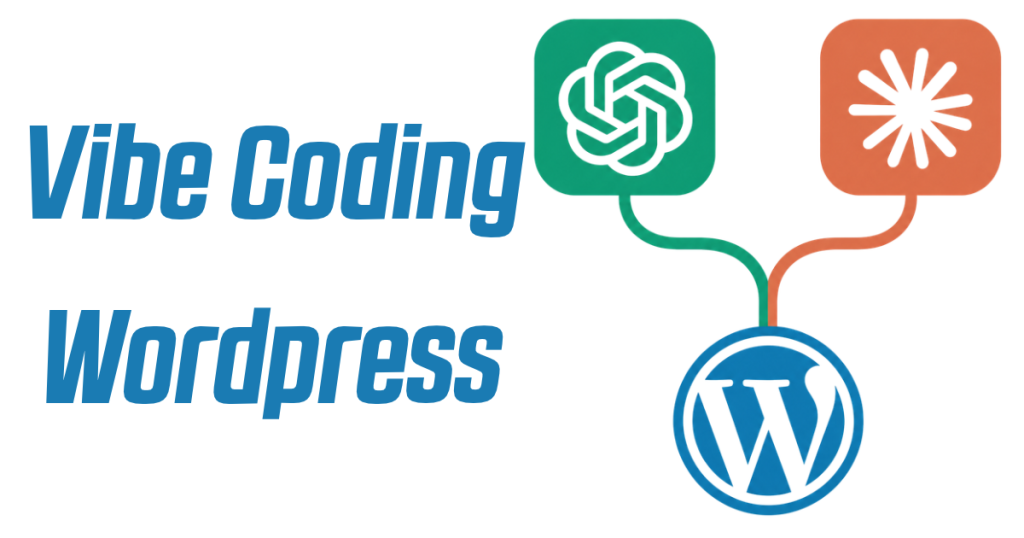
How to Vibe Code WordPress With ChatGPT & Claude — Vibe Code Your Existing Website Directly From Chat
AI can now build entire websites and applications from a simple conversation. Yet millions of WordPress users are still copying and pasting AI-generated content and code into their websites manually.
Ask ChatGPT or Claude to improve a page, copy the response, open WordPress, find the correct page, paste the changes, fix the formatting, and publish.
Then repeat the process for the next update.
But what if you could connect ChatGPT or Claude directly to your existing WordPress website and make changes without ever leaving your AI chat?
You can. And you don’t need to rebuild your website, migrate to an AI website builder, or know how to code.
Using WordPress MCP integrations, it’s now possible to give AI assistants controlled access to an existing WordPress website, allowing them to read pages, update content, create blog posts, improve SEO, and publish changes directly from a conversation.
It’s essentially vibe coding for existing WordPress websites.
What Does It Mean to Vibe Code WordPress?
Vibe coding is the practice of using natural language to tell AI what you want to build or change, rather than manually writing the code yourself.
Tools like Lovable, Bolt and AI coding agents have made this approach increasingly popular.
Anyone unfamiliar with the concept can start with this beginner’s guide to vibe coding.
But there’s an interesting limitation with many AI website-building workflows.
Most focus on creating something new, rather than working with the websites people already own.
What happens if you already have a WordPress website with hundreds of pages, years of content, established Google rankings, existing plugins and a design you’re happy with?
Starting again with another website builder isn’t particularly appealing.
An alternative is connecting your existing WordPress installation to an AI assistant and using natural-language instructions to manage it.
For example, instead of manually editing a WordPress page, you could type:
“Find the About Us page on my WordPress website, rewrite the content to sound more professional, and save the updated version as a draft.”
Or:
“Read my existing service pages, then create a new page for commercial roofing using the same writing style and structure.”
The AI reads the relevant content, prepares the changes and uses its WordPress connection to save them.
No copying and pasting. No rebuilding the website.
This is a form of conversational WordPress editing. Full WordPress theme and plugin development requires additional coding tools and permissions.
How Can ChatGPT and Claude Connect Directly to WordPress?
The technology enabling this is called Model Context Protocol (MCP).
MCP is an open standard that allows compatible AI applications to connect to external tools, databases and services.
Rather than only generating text in a conversation, an AI assistant can use connected tools to perform actions in other applications.
For WordPress, this means an AI assistant can potentially:
Read existing WordPress pages and blog posts.
Create new pages and draft articles.
Edit and update published content.
Change supported SEO titles and meta descriptions.
Find related website content for internal linking.
Publish content when explicitly instructed.
The exact capabilities depend on the integration and the permissions granted to it.
One example is PressLink, a WordPress plugin that connects existing websites directly to ChatGPT, Claude and other compatible AI assistants.
Once connected, you can instruct your AI assistant to make supported content changes to your live WordPress installation.
The website remains on its existing hosting, using its existing theme, plugins and domain.
Rather than creating an entirely new website, the AI works with the content that’s already there.
What Can You Actually Do When You Connect AI to WordPress?
The most interesting applications go beyond generating another AI-written blog post.
Giving an AI assistant access to relevant existing content means it can understand what’s already on your website before suggesting or making changes.
Here are some practical examples.
1. Edit WordPress Pages With ChatGPT or Claude
“Find my homepage, read the existing content and suggest improvements to the main headline and introductory paragraphs. Once approved, update the page.”
Instead of manually copying the existing text into your AI conversation, the assistant can retrieve the content through the WordPress connection.
2. Create and Publish WordPress Blog Posts
“Look at my five most recent blog posts, identify a related topic that hasn’t been covered, and write a comprehensive article. Save it as a draft in WordPress.”
The AI can use existing articles for context, then create the draft in the WordPress dashboard.
3. Improve WordPress SEO Using AI
“Review the SEO titles and meta descriptions for my main service pages. Suggest improvements that accurately reflect each page’s content.”
Integrations that support plugins such as Yoast SEO and Rank Math can update their supported metadata fields.
For websites with substantial existing content, this could make routine SEO improvements significantly less repetitive.
4. Add Internal Links Between WordPress Articles
“Read this blog post and identify three relevant articles on my website that would make useful internal links. Suggest natural anchor text and add the links after approval.”
Rather than manually searching through every article, the AI can use the content it has permission to access to identify potential links.
5. Refresh Outdated Website Content
“Find the article about kitchen renovation costs. Review the existing information, identify anything that may be outdated, and prepare an updated draft.”
This is particularly useful for websites with years of older content that needs periodic attention.
6. Create New Pages Based on Existing Content
“Read my existing service pages and create a new FAQ page answering common customer questions. Use only information that’s already supported by the website.”
The AI can work from existing content instead of inventing details about the business.
The important distinction is that AI isn’t just generating instructions for someone to carry out manually. It’s using connected WordPress tools to perform supported actions.
How to Connect ChatGPT to WordPress
Connecting ChatGPT to WordPress requires a compatible integration that allows ChatGPT to communicate with the website.
One option is the PressLink WordPress plugin, which provides an MCP connection for supported WordPress content operations.
The basic setup process is:
Open the WordPress dashboard and navigate to Plugins → Add New Plugin.
Search for PressLink, then install and activate the plugin.
Open the plugin’s settings and generate a private WordPress connection link.
In ChatGPT, add PressLink as a custom MCP server using the server URL provided in its setup instructions.
Complete authentication and connect the website using the private link.
Enable PressLink in a new conversation and ask ChatGPT to check the WordPress connection.
Once connected, a simple test is:
“Use PressLink to create a draft WordPress post titled ‘AI Connection Test’ with a short introductory paragraph. Do not publish it.”
If the post appears in the WordPress dashboard, the connection is working.
Access to custom MCP connections depends on the ChatGPT account and workspace configuration.
How to Connect Claude to WordPress
Claude can use a similar approach through its support for compatible remote MCP connectors.
Using a WordPress MCP plugin such as PressLink, the setup involves installing the plugin, generating the private connection link, and adding the relevant remote MCP server through Claude’s connector settings.
For supported Claude accounts, custom connectors can be configured under Customize → Connectors.
Once the connection has been authenticated, Claude can use the available WordPress tools when instructed.
For example:
“Read my three most recent WordPress blog posts, identify an interesting follow-up topic, and create a new draft in a similar writing style.”
Or:
“Find my contact page and update the introductory text to make it clearer, without changing any contact details.”
Both ChatGPT and Claude can use this type of workflow. The differences lie in the AI interface, supported connector functionality and individual model capabilities.
Can You Vibe Code an Entire WordPress Website?
This depends on what you mean by vibe coding.
There are two distinct approaches.
AI-assisted WordPress development involves using coding agents to generate or modify actual website code, including PHP, JavaScript, CSS, themes and plugins.
AI-assisted WordPress content management involves connecting an AI assistant to the existing website so it can create, edit and manage supported content directly.
Tools like PressLink focus on the second approach.
Its current WordPress plugin supports ordinary posts, pages, safe HTML, supported static blocks and selected SEO metadata. It doesn’t provide unrestricted access to WordPress themes, plugin files, PHP code or Elementor page layouts.
That’s an important distinction, particularly for anyone expecting an AI agent to completely redesign a website.
For creating entirely new applications or websites from prompts, dedicated platforms may be more appropriate. There are several options covered in this comparison of the best AI app builders.
But for an established WordPress website, connecting AI directly to the existing content can be a more practical starting point.
Is It Safe to Give ChatGPT or Claude Access to WordPress?
Security matters whenever an AI assistant is given permission to make changes to a live website.
Not every integration works in the same way, and granting unrestricted administrator access is generally unnecessary for simple content editing.
For example, PressLink uses a dedicated WordPress user with limited content permissions rather than giving the connected AI full administrator privileges.
Its supported operations are deliberately restricted to content-related tasks.
There are still risks to consider.
AI can misunderstand instructions, overwrite useful content or produce inaccurate information. Third-party connectors may also process website content through external services.
A sensible workflow is to:
Keep a backup of the website.
Give the AI only the permissions it needs.
Ask it to explain proposed changes before applying them.
Use drafts when creating or significantly rewriting content.
Review important pages before publishing.
The objective should be to make website management easier without sacrificing control.
Do You Need to Pay to Connect AI to WordPress?
Not necessarily.
Some WordPress AI integrations offer free versions, while others use paid subscriptions, usage allowances or API-based pricing.
PressLink, for example, is free to install and offers a free way to get started with its WordPress connection.
However, the AI assistant itself is separate.
Using ChatGPT or Claude with a custom connector may require an eligible subscription or workspace configuration, depending on the provider.
It’s worth checking both the WordPress integration’s pricing and the requirements of your preferred AI assistant before getting started.
The Future of Vibe Coding Might Be Editing Existing Websites, Not Just Building New Ones
Vibe coding has made creating new software dramatically more accessible.
But there’s another opportunity that’s arguably just as interesting: using conversational AI to improve software and websites that already exist.
WordPress users shouldn’t necessarily have to rebuild their sites on entirely new platforms to benefit from AI.
Instead of:
Ask AI → Copy Output → Open WordPress → Paste Changes → Preview → Publish
The workflow can become:
Ask AI → Review Changes → Save or Publish Directly to WordPress
For website owners, freelancers, content publishers and agencies, removing repetitive manual tasks could be one of the most immediately useful applications of AI.
WordPress MCP integrations such as PressLink demonstrate how this is becoming possible with existing websites, rather than requiring an entirely new development platform.
And as AI assistants gain access to more external tools, conversational website management will likely become increasingly capable.
The interesting question is how much control people will actually want to give their AI assistants.
Would you let ChatGPT or Claude update and publish content directly to your WordPress website, or would you prefer to approve every change first?